
Your Backup Plugin Was Used to Hack WordPress Sites: What the UpdraftPlus Incident Means for You
Published on: Nov 04, 2026
4 min read.
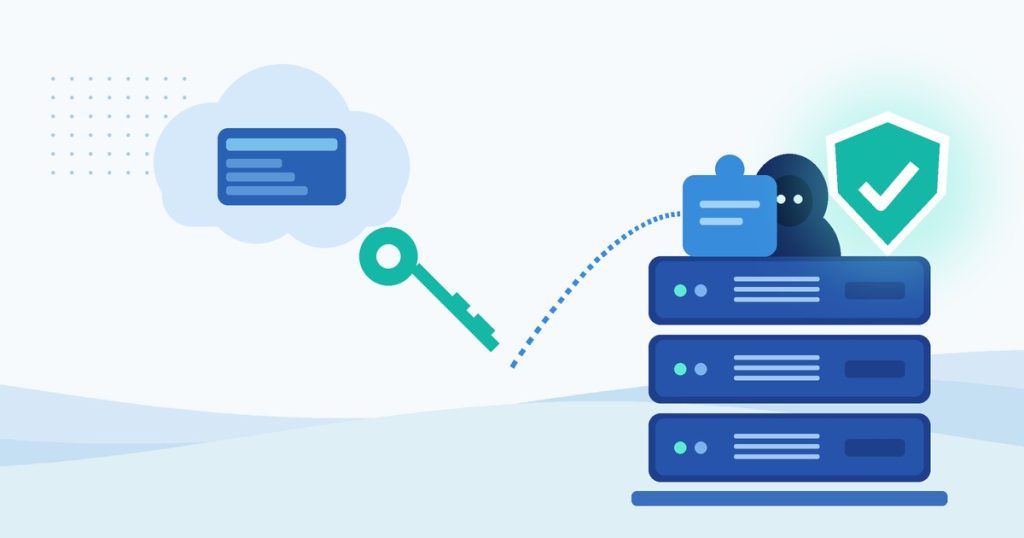
In mid-October attackers broke into the website of TeamUpdraft. They make UpdraftPlus, a WordPress backup plugin with more than 4 million active installs. The attackers stole the keys that TeamUpdraft’s cloud dashboard uses to control connected sites. Then they used those keys to install backdoors on some of them.
The plugin was updated within a day. But an update only locks the door. It does not remove anyone who is already inside. On October 29 TeamUpdraft reported sites where a leftover backdoor created a new administrator account after the site had been disconnected.
What Happened?
UpdraftPlus includes UpdraftCentral. It is a dashboard that lets you manage many WordPress sites from one place. A site connected to the cloud version will obey any command signed with the right key. You never get asked to approve it.
TeamUpdraft says someone got into teamupdraft.com on October 17 and 18, 2026. It believes the customer database was accessed. That includes names, emails, billing addresses, hashed passwords and two-factor settings. It also includes the connection keys for UpdraftCentral, UpdraftVault and UpdraftClone. TeamUpdraft says it does not store card details. Backups in your own storage, such as Google Drive, Dropbox or Amazon S3, were not affected.
Researchers at Nethemba and Patchstack then watched the attacker use those keys to push fake plugins to connected sites on October 18 and 19. Patchstack counted 99 different backdoor plugin names. Nethemba saw the attacker keep sending commands on October 21. That was after the fix came out, and it hit sites that still had their old keys.
What the Backdoor Does
The fake plugins have harmless names like “Site Health Cache,” “Seo Helper” or “WP Forge.” Behind the scenes they give the attacker a secret way into your site. They can:
- Create a hidden account that looks like an “Editor” but has admin powers
- Log the attacker straight into your dashboard without the login form, so two-factor login never gets a chance to stop it
- Hide themselves from your Plugins screen
The account can stay behind even after the fake plugin is deleted.
Who Is Affected?
Your site may be at risk if it runs UpdraftPlus (free or Premium) and was ever connected to UpdraftCentral Cloud.
You may be connected without knowing it. Patchstack and Nethemba found that logging in to a TeamUpdraft account inside the plugin showed a checkbox that said “Add this website to UpdraftCentral.” It was ticked by default. Version 1.26.14 (October 26) turned that default off. Older connections are still there.
According to TeamUpdraft and Nethemba:
- Self-hosted UpdraftCentral is not affected.
- Free UpdraftPlus users who never connected a TeamUpdraft account only need to keep the plugin updated.
- Everyone with a teamupdraft.com account should change that password. They should also change it anywhere else they used it.
Why This Matters for Your Business
This attack came through a trusted tool with valid keys. It was not a bug in your site. Nethemba reported that one affected site ran Wordfence, Patchstack and Cloudflare. None of them stopped the signed command.
A backdoored site can be used to:
- Steal customer data from forms, orders or accounts
- Inject spam or scam redirects that get your site flagged by Google
- Install more malware whenever the attacker wants
The backdoor can hide from the dashboard, so a site can look fine while someone else holds the keys.
How to Check and Fix It
1. Back up your site first.
Take a full backup of your files and database before you change anything. Keep any backups made before October 17.
2. Update UpdraftPlus.
Log in to your own site’s dashboard. Do not use UpdraftCentral for this. Update to 1.26.13 (free) or 2.26.13 (Premium) or later. The current release is 1.26.14. Do not stop at 1.26.12. Nethemba found it did not remove the old keys.
3. Delete every UpdraftCentral key on the site.
Go to Settings → UpdraftPlus → Advanced Tools → UpdraftCentral. Click Manage existing keys and delete them all. Removing the site from the UpdraftCentral dashboard is not enough. The key that matters lives on your site.
4. Look for plugins you did not install.
Check the Plugins screen and the Must-Use tab. Then look inside the wp-content/plugins/ and wp-content/mu-plugins/ folders using your host’s file manager or SFTP. Some backdoors hide from the dashboard. Do not delete a suspicious plugin from the dashboard. Some erase their own traces when removed that way. Deactivate it and remove the folder through your file manager. Or have a professional do it.
5. Look for users you do not know.
Check Users for administrator and editor accounts you do not recognize. Known examples include data-ops43, media-staff96 and the display name “Site Tools.” The names vary.
6. Reset passwords and sign everyone out.
Change the password for every admin and editor. Reset your WordPress security keys so existing logins stop working. If you used UpdraftVault or connected remote storage through UpdraftCentral, reconnect it with new credentials.
7. If you find anything, restore a clean backup.
TeamUpdraft recommends restoring a backup from before October 17 and then repeating the checks. If the backdoor was used, treat the whole site as compromised.
8. Think twice before you reconnect.
Only reconnect to UpdraftCentral if you really need it. Use an account that cannot install plugins. Nethemba reported that this blocked the attack on one site.
Want Help With This?
Finding hidden plugins and disguised accounts means digging through server files and the database. That is what I do.
I build, host and secure WordPress sites for small businesses. I can also take over hosting and security for the site you already have. It does not matter if an agency, an in-house team or an AI tool built it. With my managed WordPress hosting and security maintenance you get:
- Compromise checks and cleanup, including hidden plugins and accounts the dashboard will not show
- Control over remote-management tools and connection keys so only what you need stays connected
- Automatic off-site backups so there is always a clean restore point
- 24/7 uptime and security monitoring with firewall and malware scanning
If a hack has already hurt your Google rankings I can help with SEO recovery too.
Ever connected your site to UpdraftCentral? Not sure? Contact me for a free WordPress compromise check.